The situation
The new sign-in flow looks finished in the code, but the button is hidden on a smaller screen. You want to show the problem, have an agent reproduce it, and try the fix yourself — without setting up a separate browser session.
A shared view of what you're building
Share the built-in browser with your agents and run iOS builds in the simulator. Try the flow yourself, let them investigate, and check the result in the same workspace.
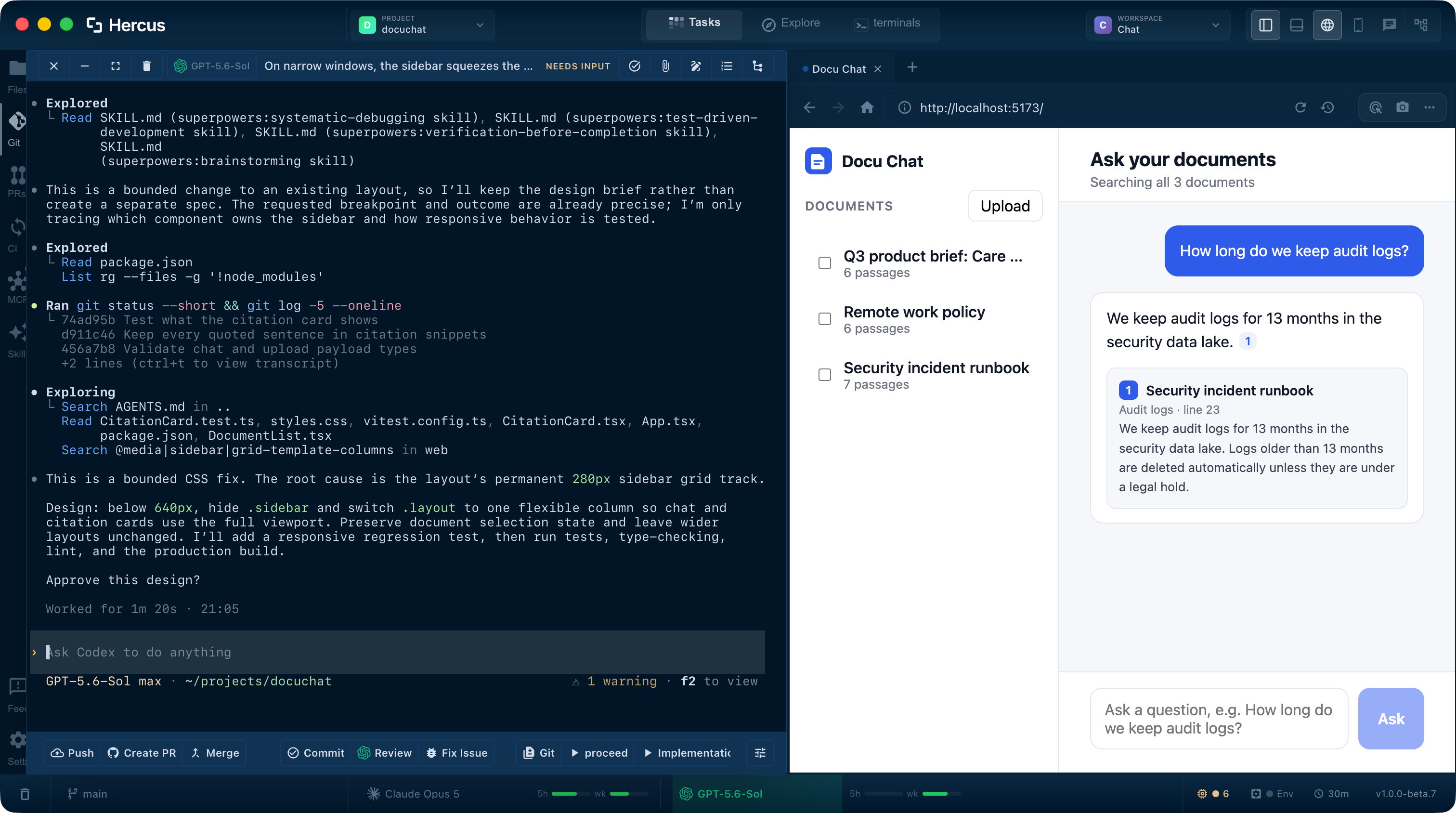
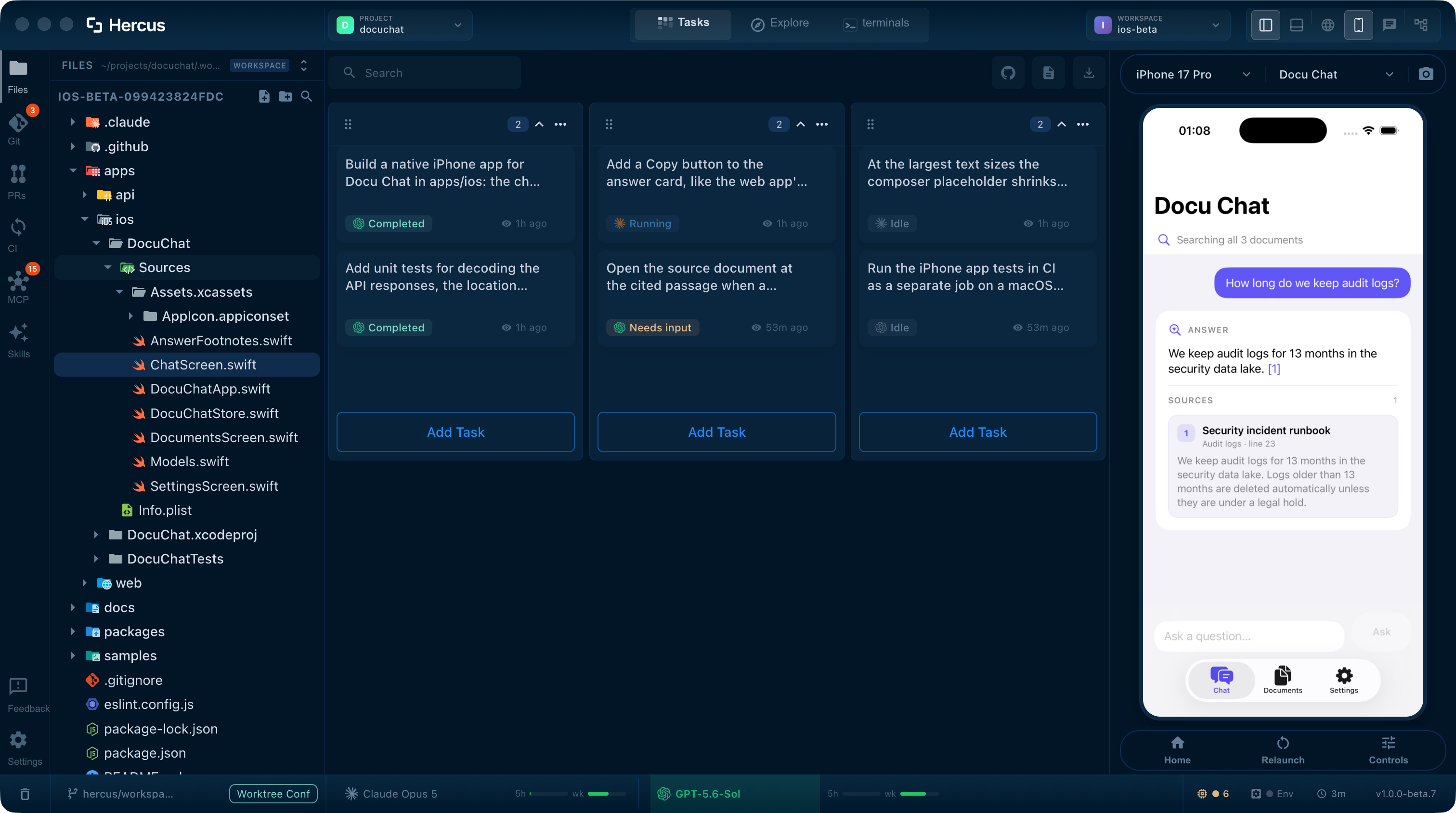
Show the problem. Work through the fix. Check the result yourself — with the running app beside the task.
Try it in your workspaceThe real scenario
A real situation, and what it costs you today.
The situation
The new sign-in flow looks finished in the code, but the button is hidden on a smaller screen. You want to show the problem, have an agent reproduce it, and try the fix yourself — without setting up a separate browser session.
Without Hercus
When the browser and coding task are separate, you keep moving screenshots, describing clicks, and rebuilding the state where the bug appeared. You and the agent investigating it can end up looking at different things.
With Hercus
Same scenario. No friction between the steps.
Open your running web app in the workspace browser, or your iOS build in the simulator. In the browser, you and the agents working in that workspace inspect and interact with the same app.
Reproduce the issue yourself, or ask an agent to walk the flow in the browser, where it can click, fill forms, and inspect page state.
Point to what needs changing. Attach a web element with its screenshot, selector, and computed styles, or annotate a simulator capture and send it to the task. After the change, try the interaction again in the same workspace.
What makes it work
Hercus browser tools expose only the tabs belonging to the current workspace. Keep browser activity separate while other workspaces continue in parallel.
Use built-in DevTools to inspect elements, read console output, and follow network requests. Change the viewport to check how the interface behaves at another size.
Choose a simulator device and launch your build alongside the task. Interact with it directly, and annotate a capture to show the agent what you see. Requires macOS, Xcode, and an available simulator device.
See for yourself
Share the built-in browser with your agents and run iOS builds in the simulator. Try the flow yourself, let them investigate, and check the result in the same workspace.
Download HercusMake your next project a Hercus project
Try the whole workspace on your own code.
7-day free trial No credit card required