The situation
You return to a feature and need the frontend, API, and test watcher running again. You know which commands worked last time, but they're scattered across shell history and old terminal tabs.
Your everyday commands, ready to run
Keep dev servers and recurring scripts saved with a name and working directory. Run them from Hercus, see their output, and return to the same setup without searching shell history.
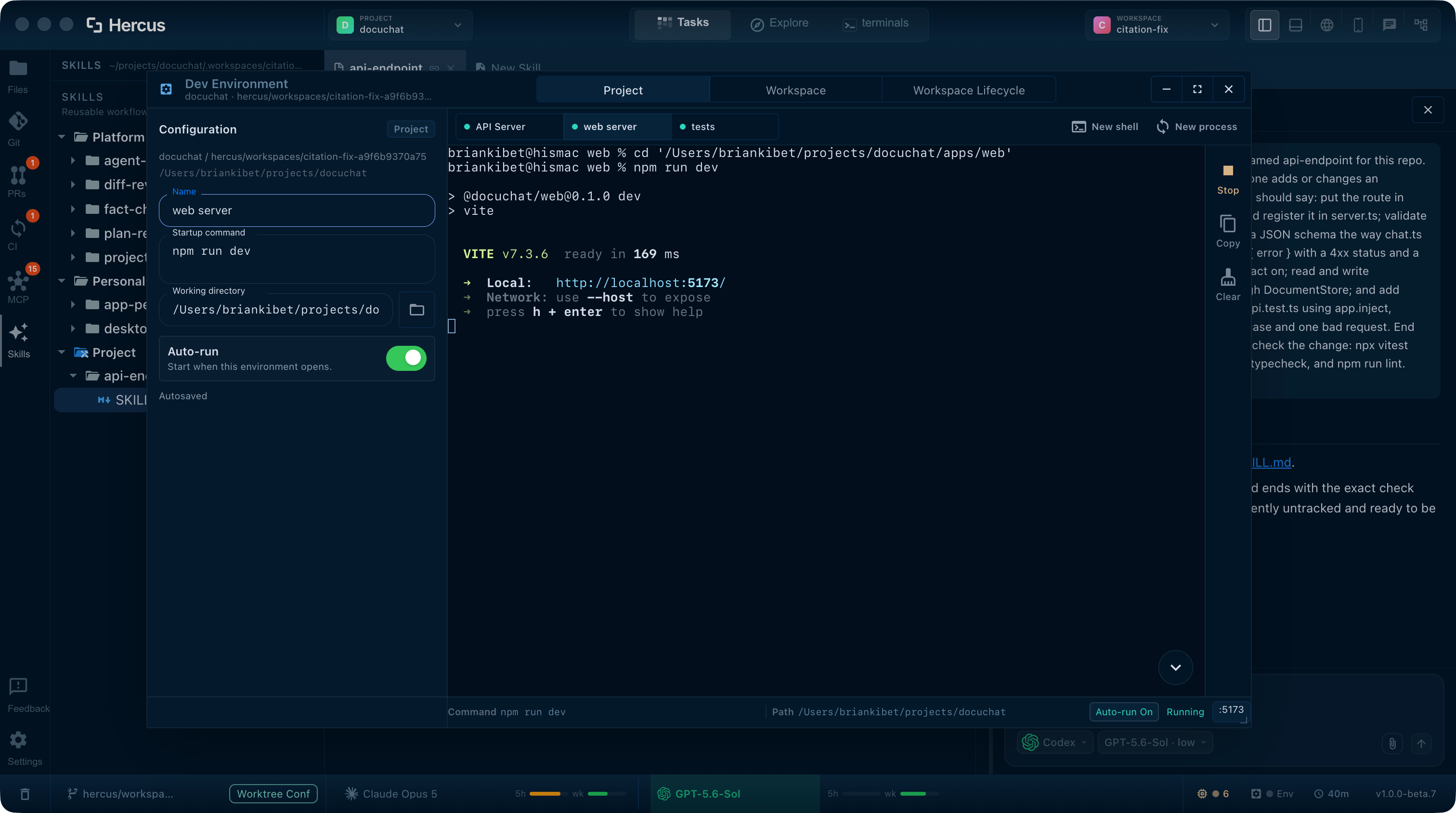
Save the routine once. Return to named commands you can run, inspect, and adjust — without rebuilding the same terminal setup.
Try it in your workspaceThe real scenario
A real situation, and what it costs you today.
The situation
You return to a feature and need the frontend, API, and test watcher running again. You know which commands worked last time, but they're scattered across shell history and old terminal tabs.
Without Hercus
The commands are routine; remembering the exact flags, opening the right directory, and tracking which terminal runs what is still manual. That startup ritual sits between you and the change you wanted to make.
With Hercus
Same scenario. No friction between the steps.
Add a named process for a command you use often — your dev server, API, or test watcher. Choose its working directory inside the project or workspace environment.
Turn on Auto-run for the commands in your startup routine, so they start on their own whenever the environment opens, even after you restart your Mac. Then choose Create to save the process, or Create & Run to launch it now.
Select a process to read its terminal output and check its status. Use Run and Stop as needed; when you come back, the saved command and settings are there to use again.
What makes it work
Store the command, its name, and its working directory together. Keep the frontend and API in their own directories, and update the settings when your setup changes.
Keep process tabs and terminal output inside Hercus. Running, stopped, and failed states help you find what needs attention, with controls to run or stop the selected process.
Save repeat shell commands for a workspace, a project, or all terminals. Give them clear names and run them from the terminal's Saved Commands menu.
See for yourself
Keep dev servers and recurring scripts saved with a name and working directory. Run them from Hercus, see their output, and return to the same setup without searching shell history.
Download HercusMake your next project a Hercus project
Try the whole workspace on your own code.
7-day free trial No credit card required