The situation
The feature works, but the working tree includes more than the feature: a config tweak, a debug statement, and an unrelated edit. Before you commit, you need to see what's changed and choose what belongs together.
Everyday Git, inside the workspace
Review changed files, stage the work you want, and commit, pull, push, or sync without leaving Hercus. Git stays beside the work that created the changes.
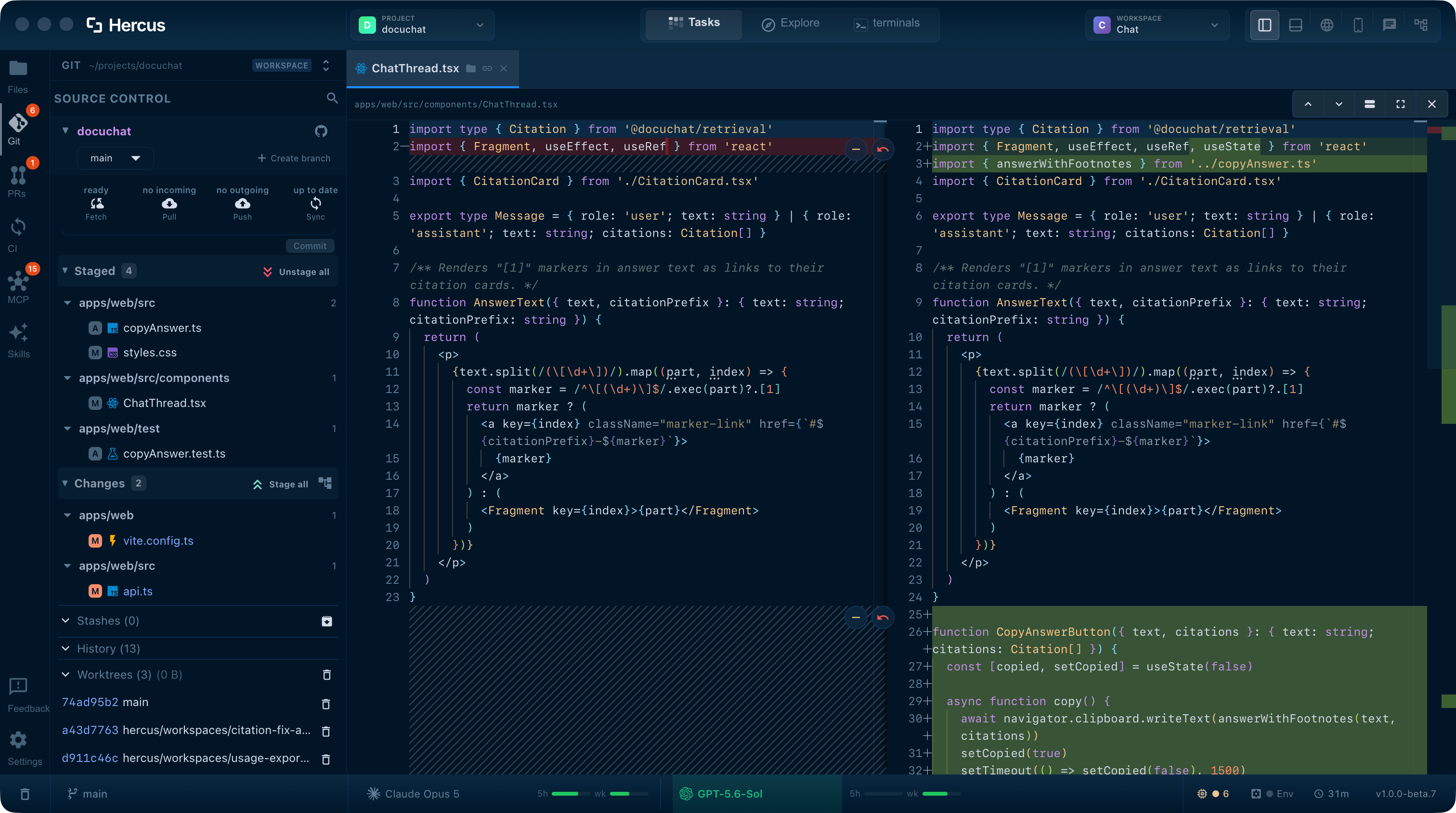
The diff and the Git actions live beside your coding work. Review what changed and prepare the next commit without leaving the workspace.
Try it in your workspaceThe real scenario
A real situation, and what it costs you today.
The situation
The feature works, but the working tree includes more than the feature: a config tweak, a debug statement, and an unrelated edit. Before you commit, you need to see what's changed and choose what belongs together.
Without Hercus
The coding session, the diff, and the Git controls often live in different windows. You keep switching tools just to inspect a change, prepare a commit, or bring the branch up to date.
With Hercus
Same scenario. No friction between the steps.
Open Git changes for the workspace and select a file to inspect its diff. Review staged and unstaged changes alongside your task.
Stage the files or individual text hunks that belong in the commit, leaving other edits unstaged. Write a commit message or generate a draft from the staged changes, review it, and commit from the Git panel.
Use the built-in Fetch, Pull, Push, and Sync controls to keep the branch connected to its remote. Action status stays visible, including when an operation needs attention.
What makes it work
Stage or unstage a whole file or an individual text hunk. Keep unrelated edits out of the next commit while you review the rest of the working tree.
Stage or unstage changes, fetch, pull, or push with built-in shortcuts. Keep common operations within reach without typing out each command.
Generate a draft from the staged changes, then edit it before committing. You get a starting point for the message without handing over the final wording.
See for yourself
Review changed files, stage the work you want, and commit, pull, push, or sync without leaving Hercus. Git stays beside the work that created the changes.
Download HercusMake your next project a Hercus project
Try the whole workspace on your own code.
7-day free trial No credit card required